Customizing metadata display
Use
Creating new Info inspector sets
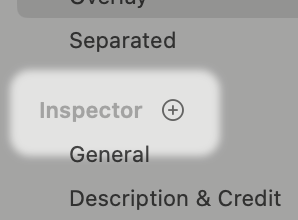
In the Metadata Display Options dialog, you can add new Inspector sets by pointing your mouse at the sidebar’s Inspector row and clicking the plus button that appears.
Rearranging inspector sets
You can drag inspector sets in the sidebar to change their order.
Deleting inspector sets
To delete an inspector set, drag the name of the inspector set you want to delete out of the sidebar.